ALL CASES
Interface: what it is and how it is built in digital products
•
10 min

The interface is the most visible part of a digital product and, often, the first criterion by which it is evaluated. Before any technical decision is noticed, it is through the interface that the user understands whether the system makes sense, is reliable, and solves their problem.
That is why UI design and UX design play a strategic role far beyond the visual layer. In digital products, the interface does not emerge from isolated choices or creative inspiration.
It is built throughout development, based on requirements, rules, flows, and technical limitations that define how the system works.
Understanding this process is essential to create interfaces that not only look good, but are sustainable, scalable, and consistent with the product foundation.
What is the concept of an interface?
The concept of interface refers to the point of contact between a system and the person using it. In digital products, the interface is the means by which the user interacts with the software, understands its features, and performs actions. It includes visual elements, behaviors, flows, and feedback that translate the internal functioning of the system into something usable.
In practical terms, the interface is not just appearance. It represents decisions made throughout UX design, which defines how the experience should happen, and UI design, which visually organizes these interactions. In this way, the interface functions as a translation layer between technical rules, data, and the user experience.
In addition, the concept of interface involves clarity, predictability, and consistency. A well-built interface allows the user to understand what can be done, how the system responds to each action, and what the next steps are. That is why the interface is the result of process, not an isolated aesthetic choice, and plays a central role in the success of digital products.
What is an interface?
An interface is the means by which a person interacts with a system, product, or software. In digital products, the interface is the layer that allows the user to understand how the system works, perform actions, and receive clear responses to each interaction.
Objectively, the interface brings together visual elements, behaviors, and flows that translate technical rules, data, and internal features into something usable. It is not limited to graphic appearance. It includes buttons, forms, messages, error states, loading states, and any other element that connects the user to the product.
What is an interface example?
An interface is the means by which the user interacts with a system. To make this clearer, it is worth looking at a practical example of an interface in a digital product.
Example of an interface in a banking app:
When the user opens the app, the home screen shows the balance, transfer, payment, and statement buttons. These elements form the interface. When tapping “Transfer,” the user fills out a form, confirms the action, and receives a success or error message. This entire set of screens, buttons, messages, and system responses is the interface.
In this example, the interface is not just the visual design. It includes:
the fields that allow data to be entered
the buttons that perform actions
the messages that explain what happened
the loading or error states
In other words, the interface is the way the system “talks” to the user. It translates internal features into understandable actions, organized by UX design decisions (experience) and UI design (visual structure).
Why is the interface so important in a system?
The interface is the point of contact between the user and the system. It is through it that all interaction happens.
In practice, the role of the interface is to make use simple, intuitive, and efficient. The clearer the experience, the less effort is needed to understand how the system works.
A good interface reduces the learning curve, prevents errors, and improves the experience of those who use the product in daily life. This is what enables different user profiles to navigate, perform actions, and achieve their goals without difficulty.
In the end, the interface is not just visual. It is responsible for turning a complex system into something easy to use.

What is the interface on the internet?
Interface on the internet is the set of visual and interactive elements that allows the user to navigate, interact, and perform actions in an online environment, such as websites, web systems, and digital applications. It is through the interface that a person understands what the system does, how to use it, and what responses to expect for each action.
In practice, the interface on the internet includes menus, buttons, forms, links, search fields, error messages, loading states, and visual feedback. These elements organize the interaction between the user and the technical structure of the site or application, making complex features accessible through the browser.
In general, app interfaces can be classified into three main categories:
Native interface;
Adaptive interface;
Responsive interface.
Native interface
A native interface is created specifically for an operating system, respecting the standards, components, and technologies of each platform. This means that the design and development are directly thought out for the environment in which the app will run, such as Android or iOS.
On Android, languages such as Kotlin or Java are normally used. On iOS, Swift is the most common language. This closeness to the operating system directly influences the behavior of the interface and the way the user interacts with the product.
Among the main benefits of native interfaces are:
Deep integration with the device, using components, gestures, and patterns already familiar to platform users;
High performance, since the interface communicates directly with the system and hardware;
Easy access to system resources such as sensors, camera, notifications, and device-specific features;
Greater control over the experience, allowing fine adjustments in UI design and UX design according to platform guidelines.
On the other hand, the native interface also has some points to consider:
Higher development cost, especially when the product needs to exist on more than one platform;
Duplicated maintenance, since each system requires its own codebase;
Dependence on operating system updates, which requires constant tracking of changes in each platform.
Adaptive interface
An adaptive interface is developed with different layout versions previously designed for specific contexts, such as screen sizes, device types, or usage scenarios. Instead of continuously adjusting itself, the system identifies the context and applies the most suitable version of the interface.
In this model, UI design and UX design work in advance to define these variations, ensuring that each environment has a controlled experience consistent with its particularities.
Among the main advantages of adaptive interfaces are:
Experience tailored to specific contexts, without relying on automatic real-time adjustments;
Greater predictability in design, since each version is thought out individually;
Good adaptation to very different scenarios, such as desktop, tablet, and industrial or corporate devices.
However, this type of interface also brings challenges:
Greater planning effort, since each variation needs to be designed and validated;
More complex maintenance, since changes need to be replicated across different versions;
Less flexibility for new formats, requiring adjustments whenever a new usage context arises.
Responsive interface
A responsive interface is built to dynamically adjust to screen size and device characteristics. Instead of fixed layouts, it uses flexible structures that reorganize elements according to the available space.
This type of interface is widely used in digital products accessed through the internet, such as websites and web systems, and requires strong alignment between UI design, UX design, and development.
Among the main benefits of responsive interfaces are:
Flexibility of use on different devices, with a single interface base;
Reduced maintenance effort, since the same code serves multiple scenarios;
Visual and functional consistency, even at different resolutions;
Good scalability, especially for digital products that evolve over time.
On the other hand, responsive interfaces also have limitations:
Less control over each specific context, when compared to the adaptive or native approach;
Hierarchy and readability challenges, especially on very small or very large screens;
Dependence on solid technical decisions, since performance and behavior vary according to the device.
How do you create an app interface from scratch?
Creating an app interface from scratch is neither a linear process nor a purely visual one. It happens in layers, with constant validation, to ensure the interface makes sense before it becomes code. Some steps are central in this process.
Wireframing
The wireframe is where the interface starts to take structural form. Here, the focus is not on aesthetics, colors, or typography, but on information organization and flow.
At this stage, we define:
which elements appear on each screen
the hierarchy among the information
how the user navigates between actions
The wireframe works like a map of the interface. It helps spot problems early, adjust flows, and align expectations between product, design, and development before any visual decision is made.
Prototyping
Prototyping happens when the structure stops being static and begins to simulate real use. It is at this stage that the interface starts to be tested as an experience, not just as a layout.
Prototypes allow you to:
validate navigation flows
test interactions between screens
identify friction in use
By simulating the app’s behavior, we can anticipate adjustments that would be much more costly if discovered only during development.
Usability testing
Usability tests put the interface in contact with real users. Here, the intention is not to confirm whether the design is “pretty,” but to understand whether it is clear, predictable, and functional.
During the tests, we observe:
how people interpret the interface
where doubts or errors arise
which actions create friction
This data guides objective refinements, avoiding decisions based only on internal opinion. The interface evolves from real use, not from assumption.
If you want to go deeper into this process and understand how to structure a complete product, we have a detailed article about app development, with all the stages from planning to delivery.
Best usability and accessibility practices for interfaces
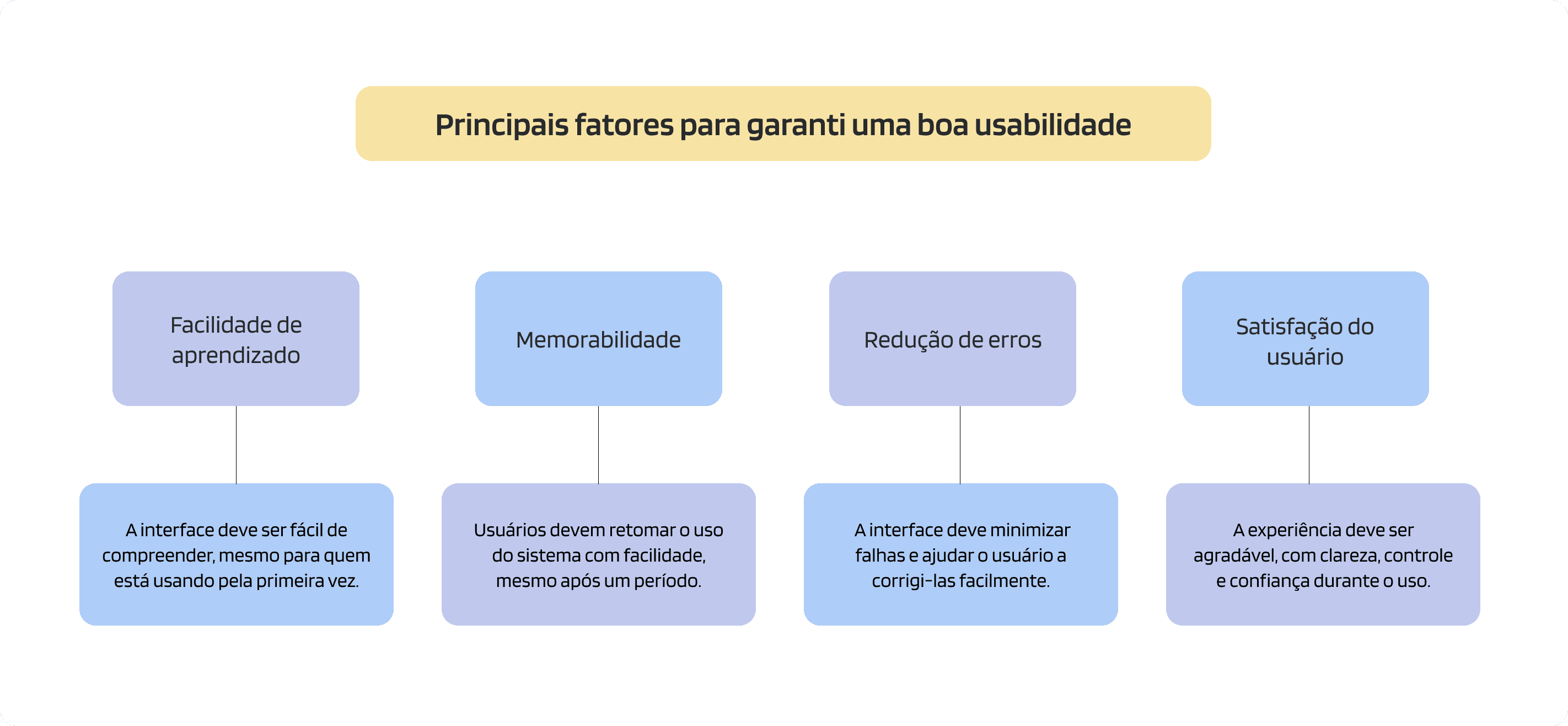
Building an interface is not just about organizing information and defining a visual style. For a digital product to truly work, it is essential to ensure that it is easy to use and accessible to different user profiles.
Usability and accessibility are factors that directly impact the experience, reducing friction and making navigation more intuitive.
Clarity and simplicity
A good interface should be easy to understand from the first contact. Avoiding too much information and prioritizing what is essential helps the user find what they need more quickly.
simple and direct language
well-organized elements
focus on what is truly important
Visual and interaction consistency
Maintaining patterns throughout the system makes it easier to use and reduces the need for constant learning.
buttons with predictable behavior
color and typography patterns
repetition of structures across different screens
User feedback
The system should always respond to the user’s actions, showing what is happening.
success or error messages
loading states
action confirmations
Ease of navigation
The user needs to be able to orient themselves and understand where to go within the system.
clear menus
well-defined hierarchy
simple paths to perform actions
Accessibility from the start
Accessible interfaces ensure that more people can use the product, regardless of physical or cognitive limitations.
adequate color contrast
proper use of text and labels
keyboard navigation possible
compatibility with screen readers
Testing with real users
Validating the interface with users is one of the most efficient ways to identify improvements.
observe how people use the system
identify points of difficulty
adjust based on real use
Good usability and accessibility practices are not just details, but an essential part of building efficient interfaces.
When these points are considered from the start, the product becomes easier to use, more inclusive, and more aligned with users’ real needs.
How UEEK creates more efficient digital experiences
If the interface is what connects the user to the product, every detail makes a difference in the final experience.
UEEK works in the design and development of interfaces that not only function, but make sense for the people using them. With a focus on usability, accessibility, and business context, we help build digital products that are more intuitive, efficient, and ready to evolve.
- let's talk
ALL CASES
Interface: what it is and how it is built in digital products
•
10 min
The interface is the most visible part of a digital product and, often, the first criterion by which it is evaluated. Before any technical decision is noticed, it is through the interface that the user understands whether the system makes sense, is reliable, and solves their problem.
That is why UI design and UX design play a strategic role far beyond the visual layer. In digital products, the interface does not emerge from isolated choices or creative inspiration.
It is built throughout development, based on requirements, rules, flows, and technical limitations that define how the system works.
Understanding this process is essential to create interfaces that not only look good, but are sustainable, scalable, and consistent with the product foundation.
What is the concept of an interface?
The concept of interface refers to the point of contact between a system and the person using it. In digital products, the interface is the means by which the user interacts with the software, understands its features, and performs actions. It includes visual elements, behaviors, flows, and feedback that translate the internal functioning of the system into something usable.
In practical terms, the interface is not just appearance. It represents decisions made throughout UX design, which defines how the experience should happen, and UI design, which visually organizes these interactions. In this way, the interface functions as a translation layer between technical rules, data, and the user experience.
In addition, the concept of interface involves clarity, predictability, and consistency. A well-built interface allows the user to understand what can be done, how the system responds to each action, and what the next steps are. That is why the interface is the result of process, not an isolated aesthetic choice, and plays a central role in the success of digital products.
What is an interface?
An interface is the means by which a person interacts with a system, product, or software. In digital products, the interface is the layer that allows the user to understand how the system works, perform actions, and receive clear responses to each interaction.
Objectively, the interface brings together visual elements, behaviors, and flows that translate technical rules, data, and internal features into something usable. It is not limited to graphic appearance. It includes buttons, forms, messages, error states, loading states, and any other element that connects the user to the product.
What is an interface example?
An interface is the means by which the user interacts with a system. To make this clearer, it is worth looking at a practical example of an interface in a digital product.
Example of an interface in a banking app:
When the user opens the app, the home screen shows the balance, transfer, payment, and statement buttons. These elements form the interface. When tapping “Transfer,” the user fills out a form, confirms the action, and receives a success or error message. This entire set of screens, buttons, messages, and system responses is the interface.
In this example, the interface is not just the visual design. It includes:
the fields that allow data to be entered
the buttons that perform actions
the messages that explain what happened
the loading or error states
In other words, the interface is the way the system “talks” to the user. It translates internal features into understandable actions, organized by UX design decisions (experience) and UI design (visual structure).
Why is the interface so important in a system?
The interface is the point of contact between the user and the system. It is through it that all interaction happens.
In practice, the role of the interface is to make use simple, intuitive, and efficient. The clearer the experience, the less effort is needed to understand how the system works.
A good interface reduces the learning curve, prevents errors, and improves the experience of those who use the product in daily life. This is what enables different user profiles to navigate, perform actions, and achieve their goals without difficulty.
In the end, the interface is not just visual. It is responsible for turning a complex system into something easy to use.
What is the interface on the internet?
Interface on the internet is the set of visual and interactive elements that allows the user to navigate, interact, and perform actions in an online environment, such as websites, web systems, and digital applications. It is through the interface that a person understands what the system does, how to use it, and what responses to expect for each action.
In practice, the interface on the internet includes menus, buttons, forms, links, search fields, error messages, loading states, and visual feedback. These elements organize the interaction between the user and the technical structure of the site or application, making complex features accessible through the browser.
In general, app interfaces can be classified into three main categories:
Native interface;
Adaptive interface;
Responsive interface.
Native interface
A native interface is created specifically for an operating system, respecting the standards, components, and technologies of each platform. This means that the design and development are directly thought out for the environment in which the app will run, such as Android or iOS.
On Android, languages such as Kotlin or Java are normally used. On iOS, Swift is the most common language. This closeness to the operating system directly influences the behavior of the interface and the way the user interacts with the product.
Among the main benefits of native interfaces are:
Deep integration with the device, using components, gestures, and patterns already familiar to platform users;
High performance, since the interface communicates directly with the system and hardware;
Easy access to system resources such as sensors, camera, notifications, and device-specific features;
Greater control over the experience, allowing fine adjustments in UI design and UX design according to platform guidelines.
On the other hand, the native interface also has some points to consider:
Higher development cost, especially when the product needs to exist on more than one platform;
Duplicated maintenance, since each system requires its own codebase;
Dependence on operating system updates, which requires constant tracking of changes in each platform.
Adaptive interface
An adaptive interface is developed with different layout versions previously designed for specific contexts, such as screen sizes, device types, or usage scenarios. Instead of continuously adjusting itself, the system identifies the context and applies the most suitable version of the interface.
In this model, UI design and UX design work in advance to define these variations, ensuring that each environment has a controlled experience consistent with its particularities.
Among the main advantages of adaptive interfaces are:
Experience tailored to specific contexts, without relying on automatic real-time adjustments;
Greater predictability in design, since each version is thought out individually;
Good adaptation to very different scenarios, such as desktop, tablet, and industrial or corporate devices.
However, this type of interface also brings challenges:
Greater planning effort, since each variation needs to be designed and validated;
More complex maintenance, since changes need to be replicated across different versions;
Less flexibility for new formats, requiring adjustments whenever a new usage context arises.
Responsive interface
A responsive interface is built to dynamically adjust to screen size and device characteristics. Instead of fixed layouts, it uses flexible structures that reorganize elements according to the available space.
This type of interface is widely used in digital products accessed through the internet, such as websites and web systems, and requires strong alignment between UI design, UX design, and development.
Among the main benefits of responsive interfaces are:
Flexibility of use on different devices, with a single interface base;
Reduced maintenance effort, since the same code serves multiple scenarios;
Visual and functional consistency, even at different resolutions;
Good scalability, especially for digital products that evolve over time.
On the other hand, responsive interfaces also have limitations:
Less control over each specific context, when compared to the adaptive or native approach;
Hierarchy and readability challenges, especially on very small or very large screens;
Dependence on solid technical decisions, since performance and behavior vary according to the device.
How do you create an app interface from scratch?
Creating an app interface from scratch is neither a linear process nor a purely visual one. It happens in layers, with constant validation, to ensure the interface makes sense before it becomes code. Some steps are central in this process.
Wireframing
The wireframe is where the interface starts to take structural form. Here, the focus is not on aesthetics, colors, or typography, but on information organization and flow.
At this stage, we define:
which elements appear on each screen
the hierarchy among the information
how the user navigates between actions
The wireframe works like a map of the interface. It helps spot problems early, adjust flows, and align expectations between product, design, and development before any visual decision is made.
Prototyping
Prototyping happens when the structure stops being static and begins to simulate real use. It is at this stage that the interface starts to be tested as an experience, not just as a layout.
Prototypes allow you to:
validate navigation flows
test interactions between screens
identify friction in use
By simulating the app’s behavior, we can anticipate adjustments that would be much more costly if discovered only during development.
Usability testing
Usability tests put the interface in contact with real users. Here, the intention is not to confirm whether the design is “pretty,” but to understand whether it is clear, predictable, and functional.
During the tests, we observe:
how people interpret the interface
where doubts or errors arise
which actions create friction
This data guides objective refinements, avoiding decisions based only on internal opinion. The interface evolves from real use, not from assumption.
If you want to go deeper into this process and understand how to structure a complete product, we have a detailed article about app development, with all the stages from planning to delivery.
Best usability and accessibility practices for interfaces
Building an interface is not just about organizing information and defining a visual style. For a digital product to truly work, it is essential to ensure that it is easy to use and accessible to different user profiles.
Usability and accessibility are factors that directly impact the experience, reducing friction and making navigation more intuitive.
Clarity and simplicity
A good interface should be easy to understand from the first contact. Avoiding too much information and prioritizing what is essential helps the user find what they need more quickly.
simple and direct language
well-organized elements
focus on what is truly important
Visual and interaction consistency
Maintaining patterns throughout the system makes it easier to use and reduces the need for constant learning.
buttons with predictable behavior
color and typography patterns
repetition of structures across different screens
User feedback
The system should always respond to the user’s actions, showing what is happening.
success or error messages
loading states
action confirmations
Ease of navigation
The user needs to be able to orient themselves and understand where to go within the system.
clear menus
well-defined hierarchy
simple paths to perform actions
Accessibility from the start
Accessible interfaces ensure that more people can use the product, regardless of physical or cognitive limitations.
adequate color contrast
proper use of text and labels
keyboard navigation possible
compatibility with screen readers
Testing with real users
Validating the interface with users is one of the most efficient ways to identify improvements.
observe how people use the system
identify points of difficulty
adjust based on real use
Good usability and accessibility practices are not just details, but an essential part of building efficient interfaces.
When these points are considered from the start, the product becomes easier to use, more inclusive, and more aligned with users’ real needs.
How UEEK creates more efficient digital experiences
If the interface is what connects the user to the product, every detail makes a difference in the final experience.
UEEK works in the design and development of interfaces that not only function, but make sense for the people using them. With a focus on usability, accessibility, and business context, we help build digital products that are more intuitive, efficient, and ready to evolve.
- let's talk
ALL CASES
Interface: what it is and how it is built in digital products
•
10 min
The interface is the most visible part of a digital product and, often, the first criterion by which it is evaluated. Before any technical decision is noticed, it is through the interface that the user understands whether the system makes sense, is reliable, and solves their problem.
That is why UI design and UX design play a strategic role far beyond the visual layer. In digital products, the interface does not emerge from isolated choices or creative inspiration.
It is built throughout development, based on requirements, rules, flows, and technical limitations that define how the system works.
Understanding this process is essential to create interfaces that not only look good, but are sustainable, scalable, and consistent with the product foundation.
What is the concept of an interface?
The concept of interface refers to the point of contact between a system and the person using it. In digital products, the interface is the means by which the user interacts with the software, understands its features, and performs actions. It includes visual elements, behaviors, flows, and feedback that translate the internal functioning of the system into something usable.
In practical terms, the interface is not just appearance. It represents decisions made throughout UX design, which defines how the experience should happen, and UI design, which visually organizes these interactions. In this way, the interface functions as a translation layer between technical rules, data, and the user experience.
In addition, the concept of interface involves clarity, predictability, and consistency. A well-built interface allows the user to understand what can be done, how the system responds to each action, and what the next steps are. That is why the interface is the result of process, not an isolated aesthetic choice, and plays a central role in the success of digital products.
What is an interface?
An interface is the means by which a person interacts with a system, product, or software. In digital products, the interface is the layer that allows the user to understand how the system works, perform actions, and receive clear responses to each interaction.
Objectively, the interface brings together visual elements, behaviors, and flows that translate technical rules, data, and internal features into something usable. It is not limited to graphic appearance. It includes buttons, forms, messages, error states, loading states, and any other element that connects the user to the product.
What is an interface example?
An interface is the means by which the user interacts with a system. To make this clearer, it is worth looking at a practical example of an interface in a digital product.
Example of an interface in a banking app:
When the user opens the app, the home screen shows the balance, transfer, payment, and statement buttons. These elements form the interface. When tapping “Transfer,” the user fills out a form, confirms the action, and receives a success or error message. This entire set of screens, buttons, messages, and system responses is the interface.
In this example, the interface is not just the visual design. It includes:
the fields that allow data to be entered
the buttons that perform actions
the messages that explain what happened
the loading or error states
In other words, the interface is the way the system “talks” to the user. It translates internal features into understandable actions, organized by UX design decisions (experience) and UI design (visual structure).
Why is the interface so important in a system?
The interface is the point of contact between the user and the system. It is through it that all interaction happens.
In practice, the role of the interface is to make use simple, intuitive, and efficient. The clearer the experience, the less effort is needed to understand how the system works.
A good interface reduces the learning curve, prevents errors, and improves the experience of those who use the product in daily life. This is what enables different user profiles to navigate, perform actions, and achieve their goals without difficulty.
In the end, the interface is not just visual. It is responsible for turning a complex system into something easy to use.
What is the interface on the internet?
Interface on the internet is the set of visual and interactive elements that allows the user to navigate, interact, and perform actions in an online environment, such as websites, web systems, and digital applications. It is through the interface that a person understands what the system does, how to use it, and what responses to expect for each action.
In practice, the interface on the internet includes menus, buttons, forms, links, search fields, error messages, loading states, and visual feedback. These elements organize the interaction between the user and the technical structure of the site or application, making complex features accessible through the browser.
In general, app interfaces can be classified into three main categories:
Native interface;
Adaptive interface;
Responsive interface.
Native interface
A native interface is created specifically for an operating system, respecting the standards, components, and technologies of each platform. This means that the design and development are directly thought out for the environment in which the app will run, such as Android or iOS.
On Android, languages such as Kotlin or Java are normally used. On iOS, Swift is the most common language. This closeness to the operating system directly influences the behavior of the interface and the way the user interacts with the product.
Among the main benefits of native interfaces are:
Deep integration with the device, using components, gestures, and patterns already familiar to platform users;
High performance, since the interface communicates directly with the system and hardware;
Easy access to system resources such as sensors, camera, notifications, and device-specific features;
Greater control over the experience, allowing fine adjustments in UI design and UX design according to platform guidelines.
On the other hand, the native interface also has some points to consider:
Higher development cost, especially when the product needs to exist on more than one platform;
Duplicated maintenance, since each system requires its own codebase;
Dependence on operating system updates, which requires constant tracking of changes in each platform.
Adaptive interface
An adaptive interface is developed with different layout versions previously designed for specific contexts, such as screen sizes, device types, or usage scenarios. Instead of continuously adjusting itself, the system identifies the context and applies the most suitable version of the interface.
In this model, UI design and UX design work in advance to define these variations, ensuring that each environment has a controlled experience consistent with its particularities.
Among the main advantages of adaptive interfaces are:
Experience tailored to specific contexts, without relying on automatic real-time adjustments;
Greater predictability in design, since each version is thought out individually;
Good adaptation to very different scenarios, such as desktop, tablet, and industrial or corporate devices.
However, this type of interface also brings challenges:
Greater planning effort, since each variation needs to be designed and validated;
More complex maintenance, since changes need to be replicated across different versions;
Less flexibility for new formats, requiring adjustments whenever a new usage context arises.
Responsive interface
A responsive interface is built to dynamically adjust to screen size and device characteristics. Instead of fixed layouts, it uses flexible structures that reorganize elements according to the available space.
This type of interface is widely used in digital products accessed through the internet, such as websites and web systems, and requires strong alignment between UI design, UX design, and development.
Among the main benefits of responsive interfaces are:
Flexibility of use on different devices, with a single interface base;
Reduced maintenance effort, since the same code serves multiple scenarios;
Visual and functional consistency, even at different resolutions;
Good scalability, especially for digital products that evolve over time.
On the other hand, responsive interfaces also have limitations:
Less control over each specific context, when compared to the adaptive or native approach;
Hierarchy and readability challenges, especially on very small or very large screens;
Dependence on solid technical decisions, since performance and behavior vary according to the device.
How do you create an app interface from scratch?
Creating an app interface from scratch is neither a linear process nor a purely visual one. It happens in layers, with constant validation, to ensure the interface makes sense before it becomes code. Some steps are central in this process.
Wireframing
The wireframe is where the interface starts to take structural form. Here, the focus is not on aesthetics, colors, or typography, but on information organization and flow.
At this stage, we define:
which elements appear on each screen
the hierarchy among the information
how the user navigates between actions
The wireframe works like a map of the interface. It helps spot problems early, adjust flows, and align expectations between product, design, and development before any visual decision is made.
Prototyping
Prototyping happens when the structure stops being static and begins to simulate real use. It is at this stage that the interface starts to be tested as an experience, not just as a layout.
Prototypes allow you to:
validate navigation flows
test interactions between screens
identify friction in use
By simulating the app’s behavior, we can anticipate adjustments that would be much more costly if discovered only during development.
Usability testing
Usability tests put the interface in contact with real users. Here, the intention is not to confirm whether the design is “pretty,” but to understand whether it is clear, predictable, and functional.
During the tests, we observe:
how people interpret the interface
where doubts or errors arise
which actions create friction
This data guides objective refinements, avoiding decisions based only on internal opinion. The interface evolves from real use, not from assumption.
If you want to go deeper into this process and understand how to structure a complete product, we have a detailed article about app development, with all the stages from planning to delivery.
Best usability and accessibility practices for interfaces
Building an interface is not just about organizing information and defining a visual style. For a digital product to truly work, it is essential to ensure that it is easy to use and accessible to different user profiles.
Usability and accessibility are factors that directly impact the experience, reducing friction and making navigation more intuitive.
Clarity and simplicity
A good interface should be easy to understand from the first contact. Avoiding too much information and prioritizing what is essential helps the user find what they need more quickly.
simple and direct language
well-organized elements
focus on what is truly important
Visual and interaction consistency
Maintaining patterns throughout the system makes it easier to use and reduces the need for constant learning.
buttons with predictable behavior
color and typography patterns
repetition of structures across different screens
User feedback
The system should always respond to the user’s actions, showing what is happening.
success or error messages
loading states
action confirmations
Ease of navigation
The user needs to be able to orient themselves and understand where to go within the system.
clear menus
well-defined hierarchy
simple paths to perform actions
Accessibility from the start
Accessible interfaces ensure that more people can use the product, regardless of physical or cognitive limitations.
adequate color contrast
proper use of text and labels
keyboard navigation possible
compatibility with screen readers
Testing with real users
Validating the interface with users is one of the most efficient ways to identify improvements.
observe how people use the system
identify points of difficulty
adjust based on real use
Good usability and accessibility practices are not just details, but an essential part of building efficient interfaces.
When these points are considered from the start, the product becomes easier to use, more inclusive, and more aligned with users’ real needs.
How UEEK creates more efficient digital experiences
If the interface is what connects the user to the product, every detail makes a difference in the final experience.
UEEK works in the design and development of interfaces that not only function, but make sense for the people using them. With a focus on usability, accessibility, and business context, we help build digital products that are more intuitive, efficient, and ready to evolve.
- let's talk